
Objektīvi & Optika
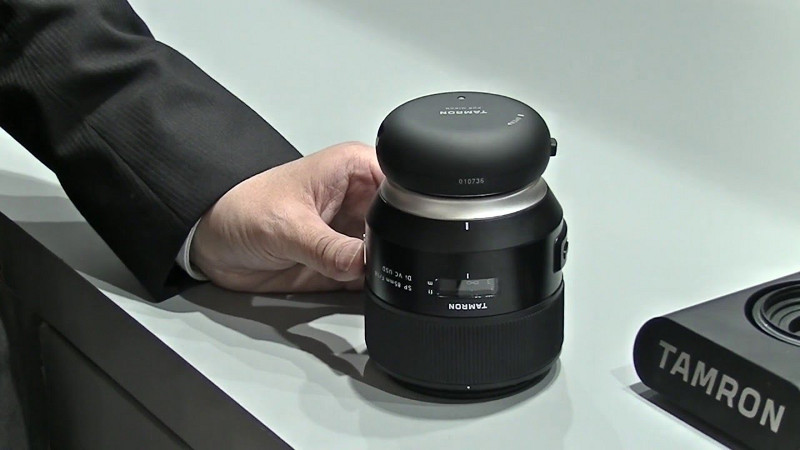
TAMRON TAP-IN CONSOLE for Sony-A / TAP-01S (new)
For the first time, customers can update firmware in selected Tamron lenses and customize various lens functions to meet their needs simply by attaching a TAMRON TAP-in Console and running the TAMRON TAP-in Utility software on their PC or Mac. Using the new accessory and an internet connection, customers can access a dedicated website and update firmware themselves anytime, anywhere. In addition, selected lenses can be customized by changing various settings (described below) to match the customer’s preferences based on how they like to use the lens, making it even more versatile and user-friendly.
With a TAMRON TAP-in Console, customers can do the following things.
-
Update firmware
-
Update the firmware of compatible lenses
-
Update the firmware of the TAP-in Console itself
-
-
Customize functions of selected lenses
-
Focus adjustment
-
Focus distance limiter customization (only for lenses that have the Focus Limiter feature)
-
Full-time Manual Focus override customization (only for lenses that have the Full-time Manual Focus feature)
-
VC adjustment (only for any lenses with VC)
-
Save customized data files
-
Compatible Tamron Lenses: http://www.tamron.co.jp/software/en/tapin/help/lens/
| Montāžas tips | Sony-A |
|---|---|
| Krāsa | black |
| Profesionāļiem | |
| Par objektīviem: | Sony-A |
| Garantija | 24 |
| Docking Station |